Building my own home entertainment center code name: RelaxingSpa

Two weeks ago I found myself frustrated – I had been using Emby on my homelab (stand in for plex/kodi/whatever) and started seeing advertisements pop up in my last place of refuge.

So, I thought to myself, hey – this is a well defined domain, I recently got laid off, why not create my own?

Within a day or two I had a functional prototype. Two weeks later I am basically done. There’s definitely some UI/UX stuff I would want to polish for a greater audience, but it works great for me.

Some things that were core in my mind for delivery:

  • A page refresh shouldn’t break playback, ever.
  • A user’s state is useful to remember not just resume this song, but resume this playlist, and support adding, removing, and replacing the existing playlists fluidly.
  • Mixed multi-media playlists.
  • Duplication removal and managing files needs to be WAY EASIER if you are managing local libraries – I don’t like Spotify.
  • It should support iOS and mobile without having to install an app (don’t want to deal with sideloading or an app store fee.)
  • It needs to be fast to load and respond – no React, Vite, no third party data stuff, everything local, everything issuing asynchronous calls and replacing the current context while remaining responsive.

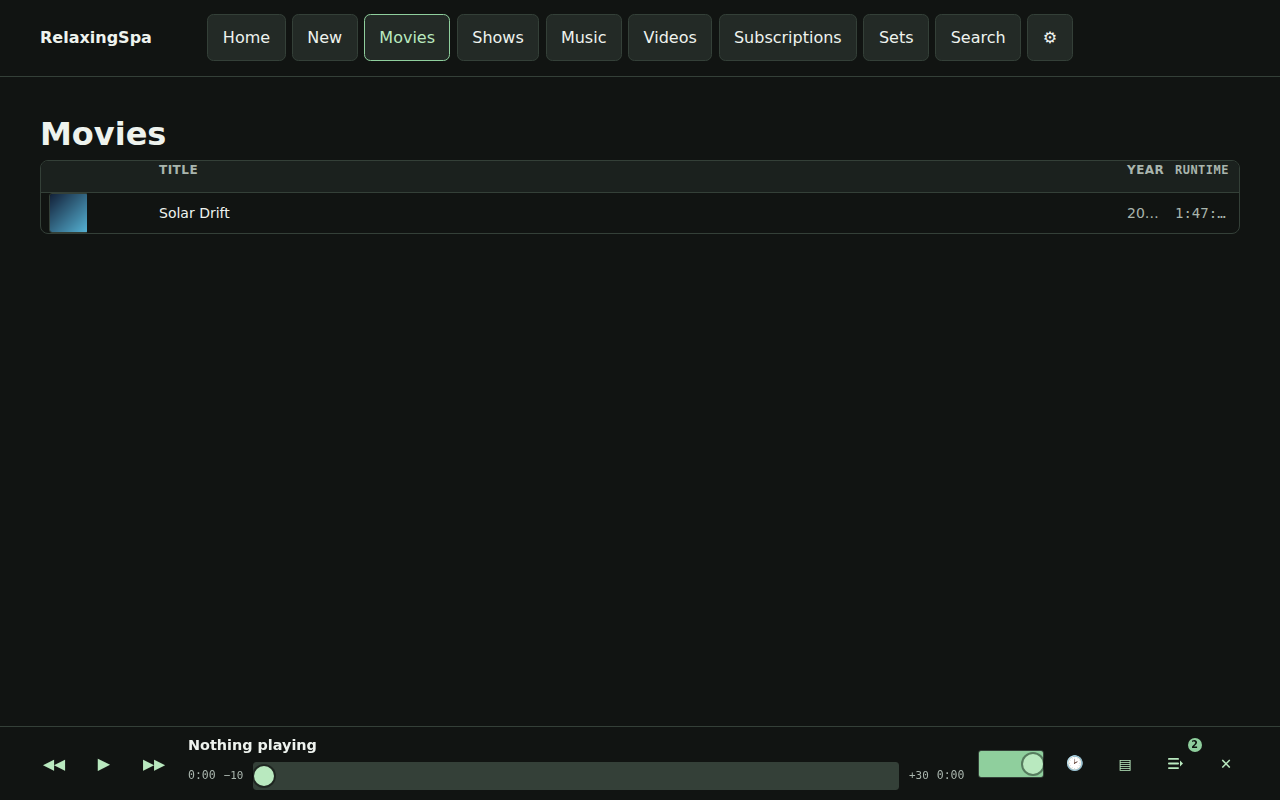
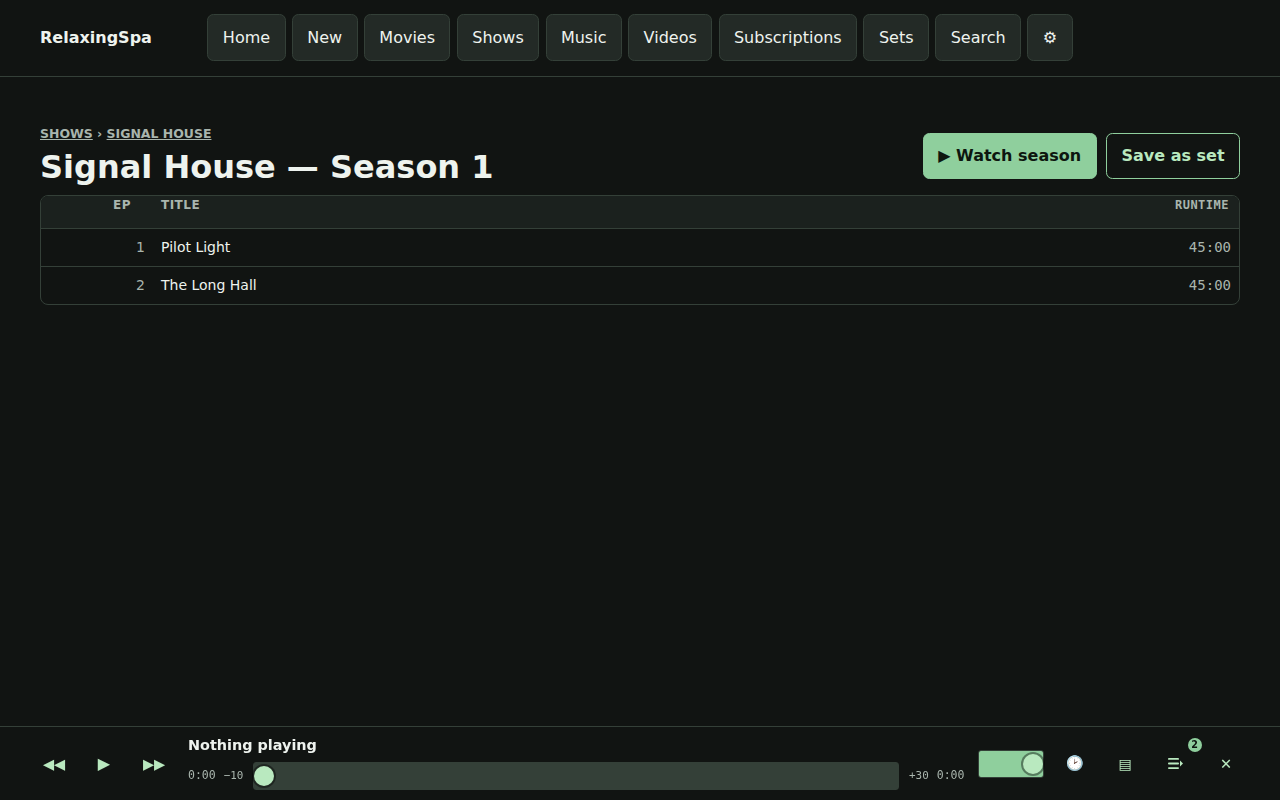
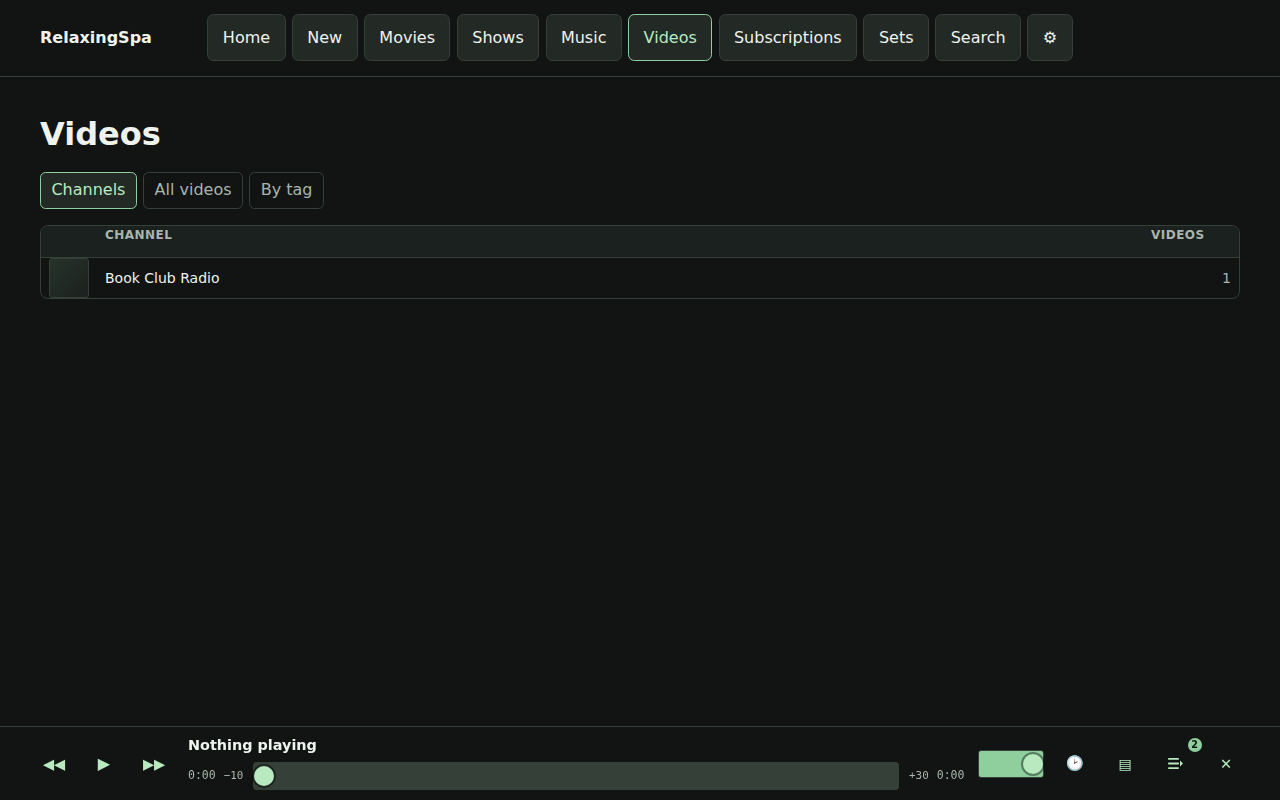
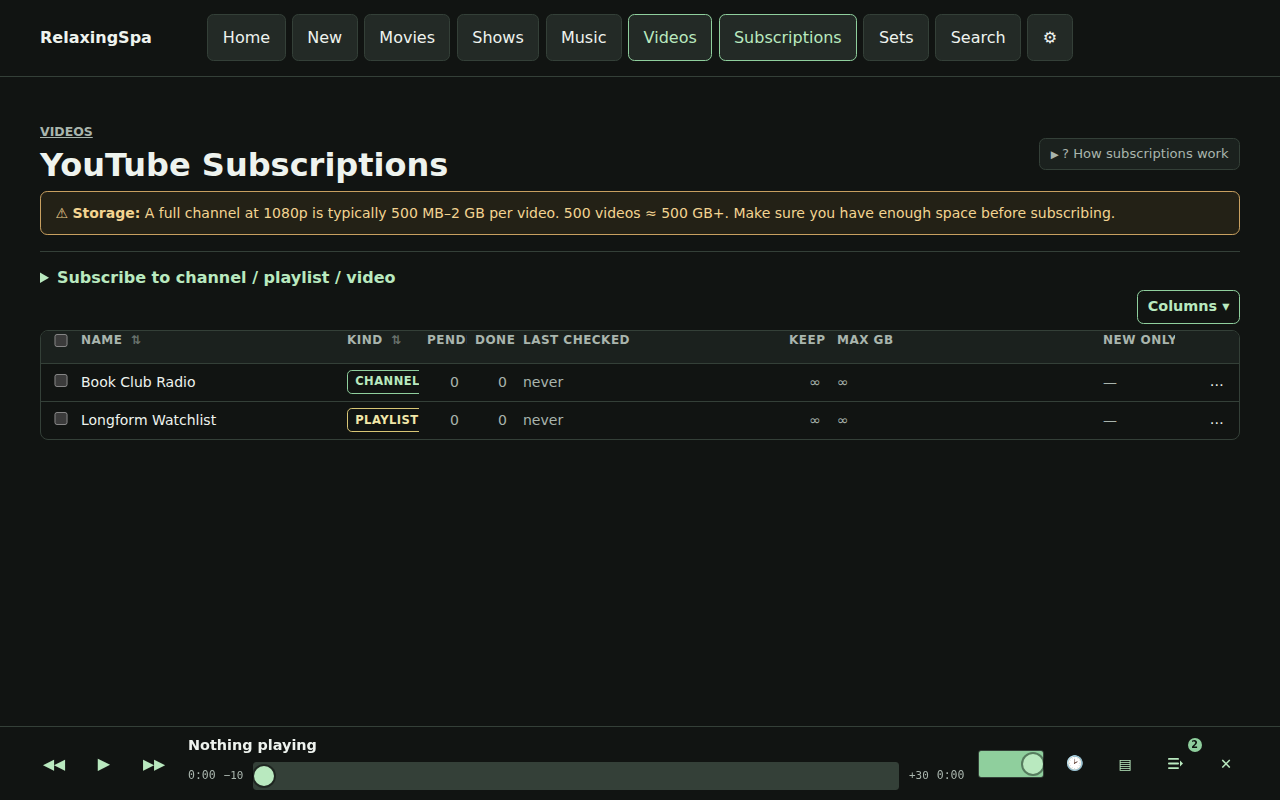
Here’s a little product review that’s produced every time a build completes.

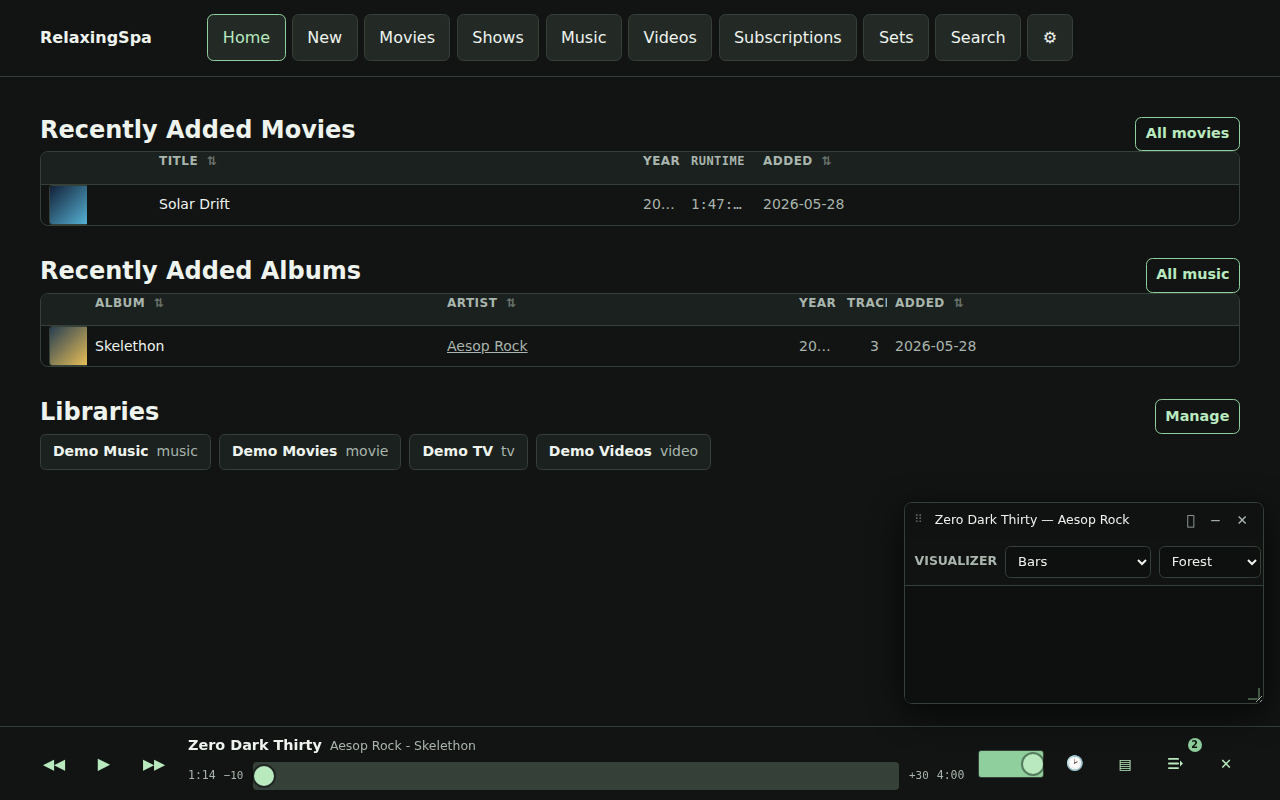
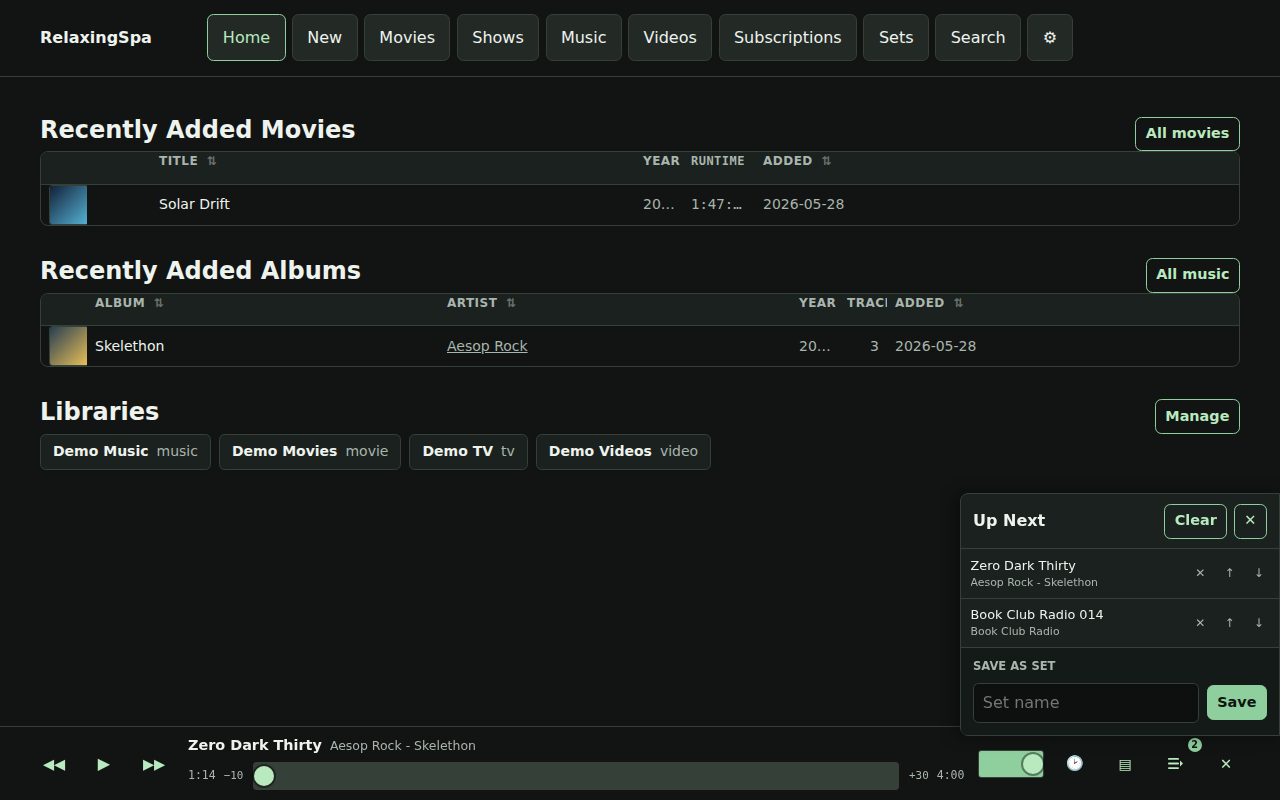
The home page presents active entry points while the persistent shell keeps playback controls alive across navigation.
The dock player exposes transport controls, seek state, history, visualizer, and the Up Next queue without leaving the current page.
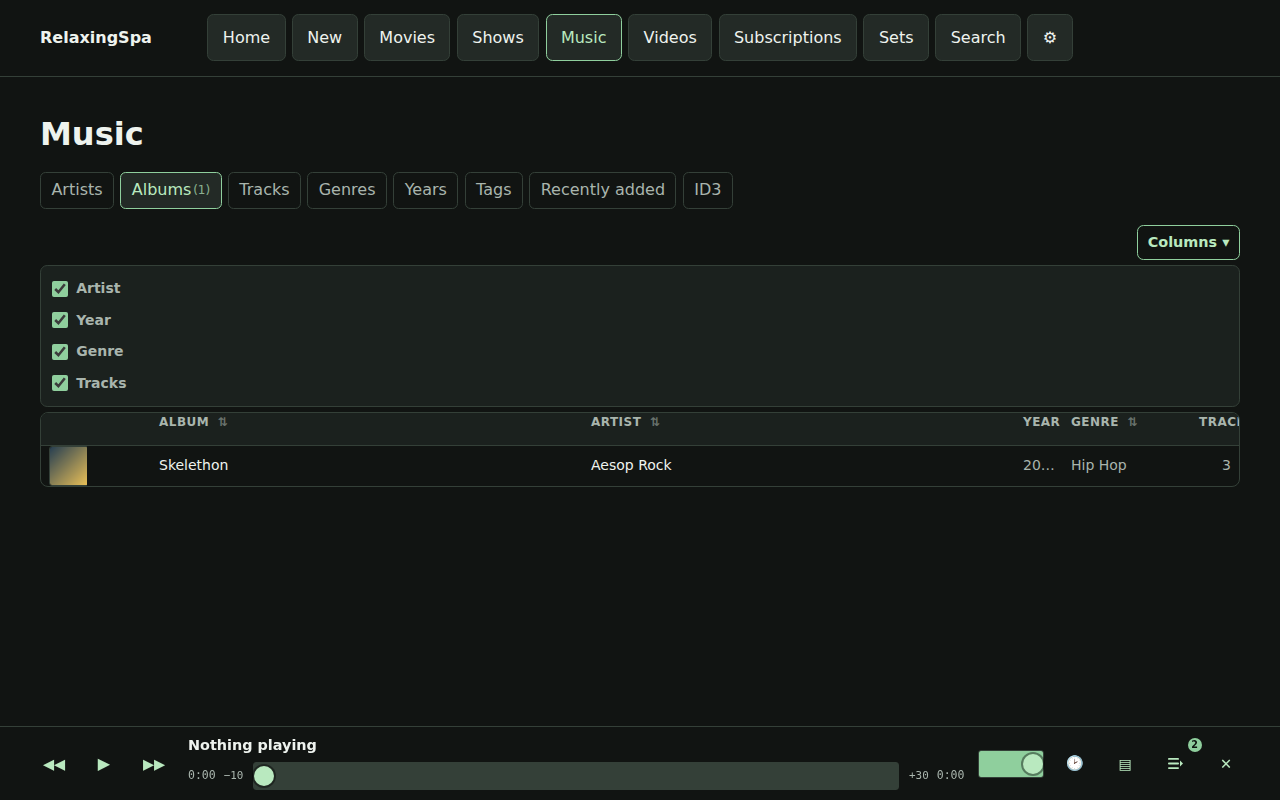
Music browsing supports album artwork, metadata columns, queue actions, set actions, row playback, and configurable column visibility.
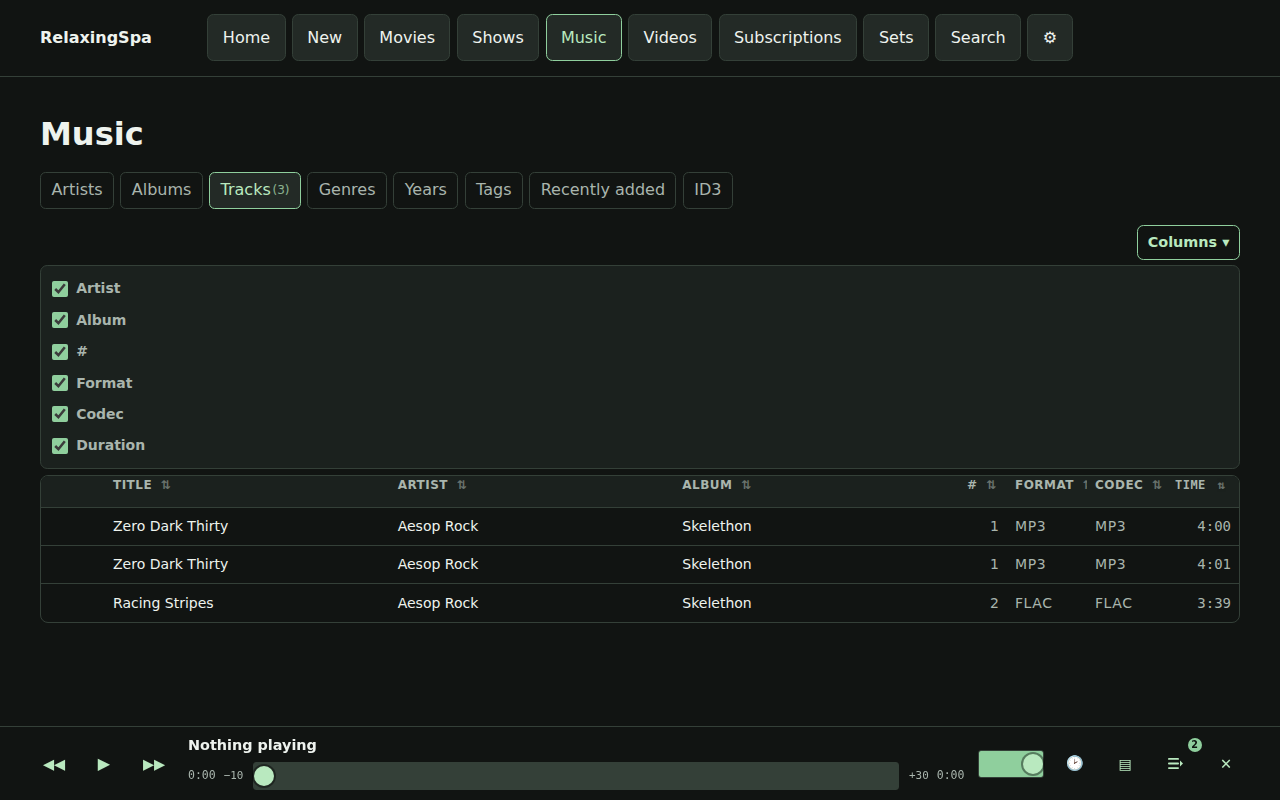
Track grids expose format/container and codec metadata so playback compatibility problems can be diagnosed from the UI.
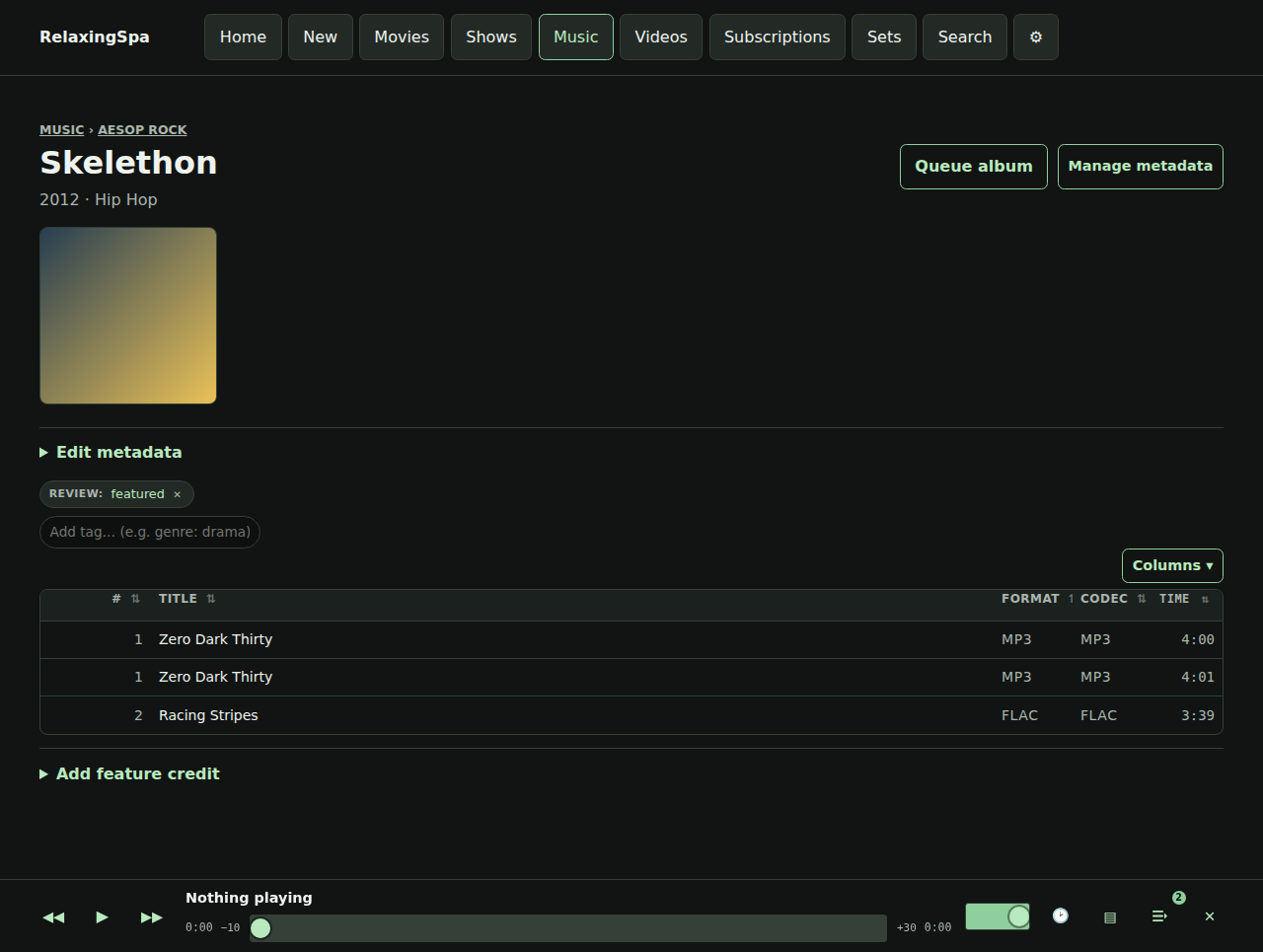
Album detail combines artwork, tags, ordered tracks, album queue actions, title correction, and merge/recovery controls.
Movie browse rows expose poster artwork, progress context, playback, and queue actions through the shared playable-grid model.
Season pages provide ordered episode playback plus season-level queue and save-as-set workflows.
The video library groups local and subscription media by channel with thumbnails, source metadata, tags, and playback actions.
Subscription management shows resolved YouTube sources, download targets, quality choices, current status, and recent download state.
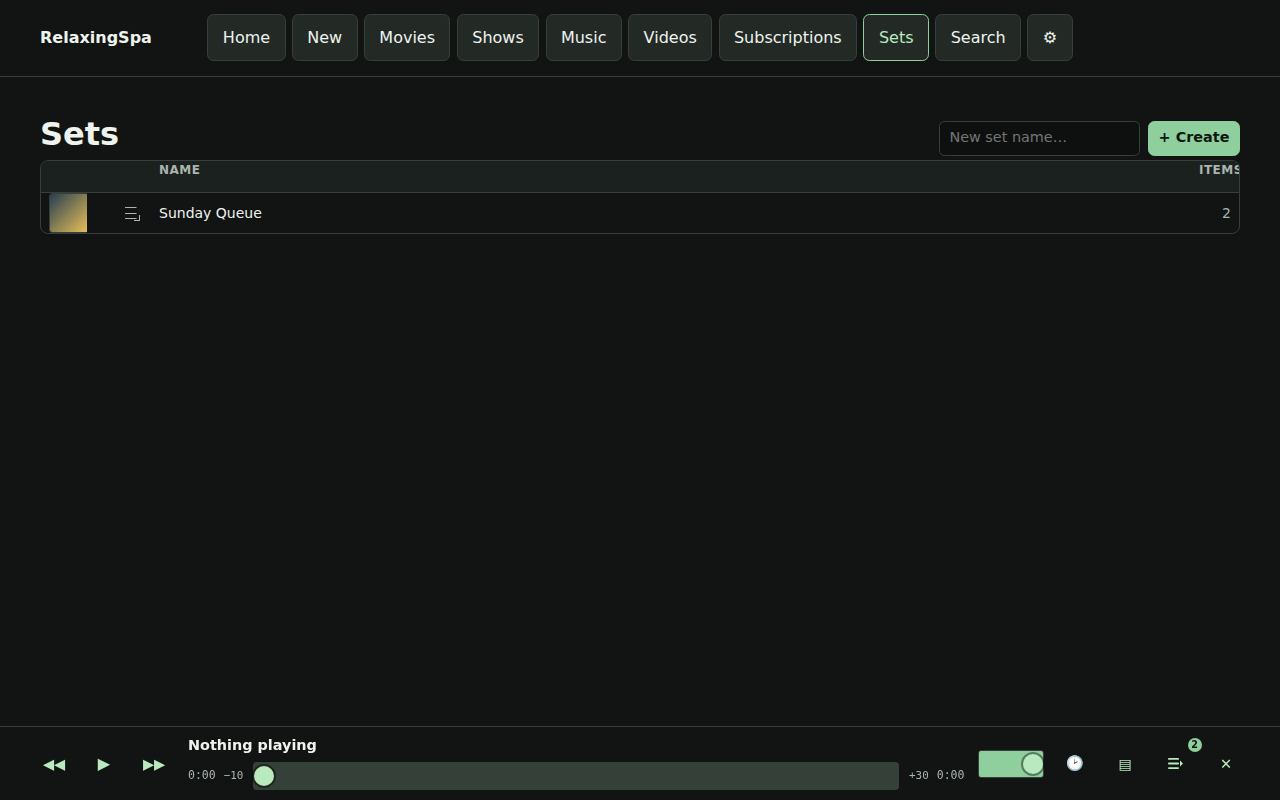
Sets are saved queue snapshots with create, inspect, load, duplicate, export, reorder, and delete workflows.
Search spans artists, albums, tracks, videos, movies, and shows without arbitrary hidden result caps.
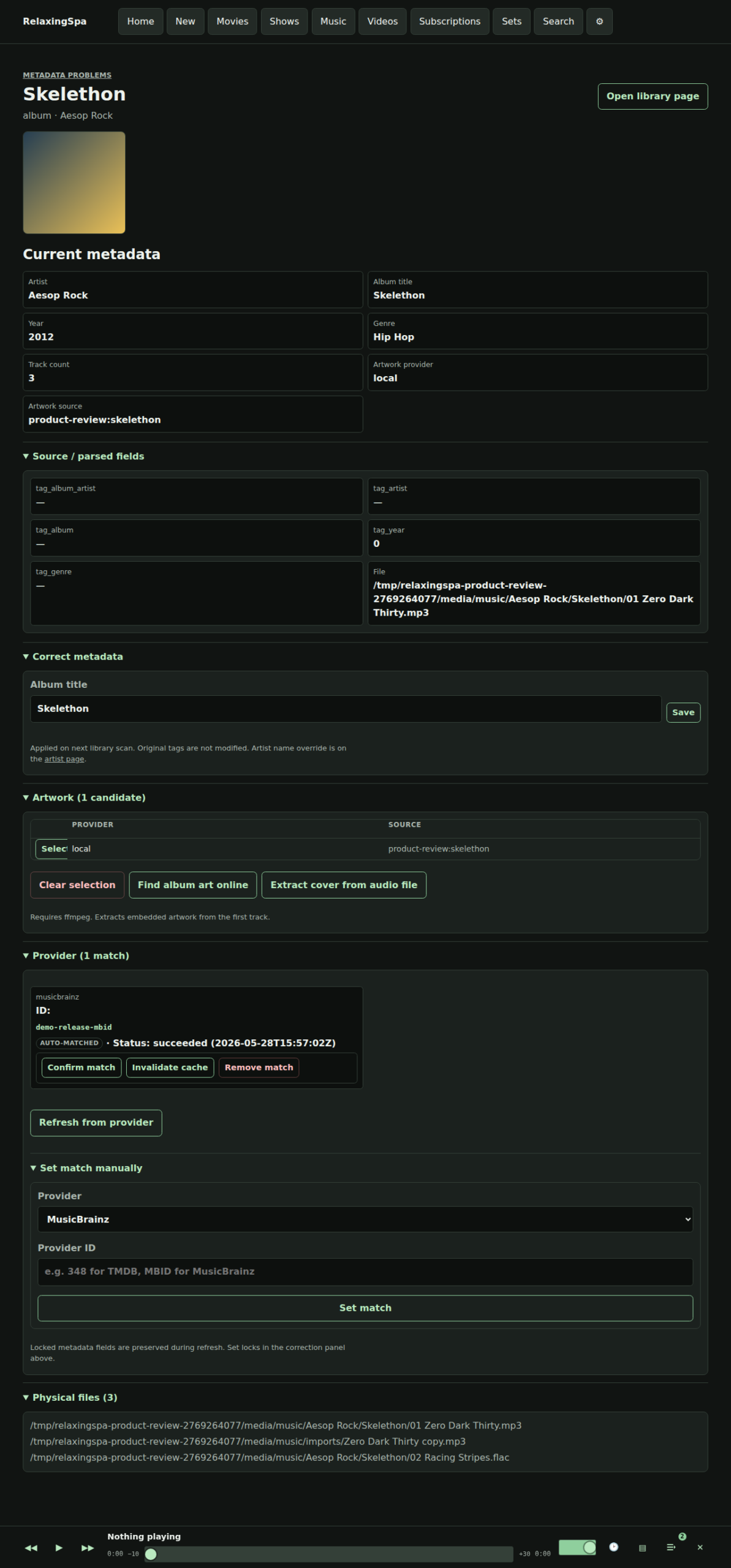
Metadata detail pages show applied fields, provider state, artwork candidates, online album-art search, extraction, corrections, and physical files.
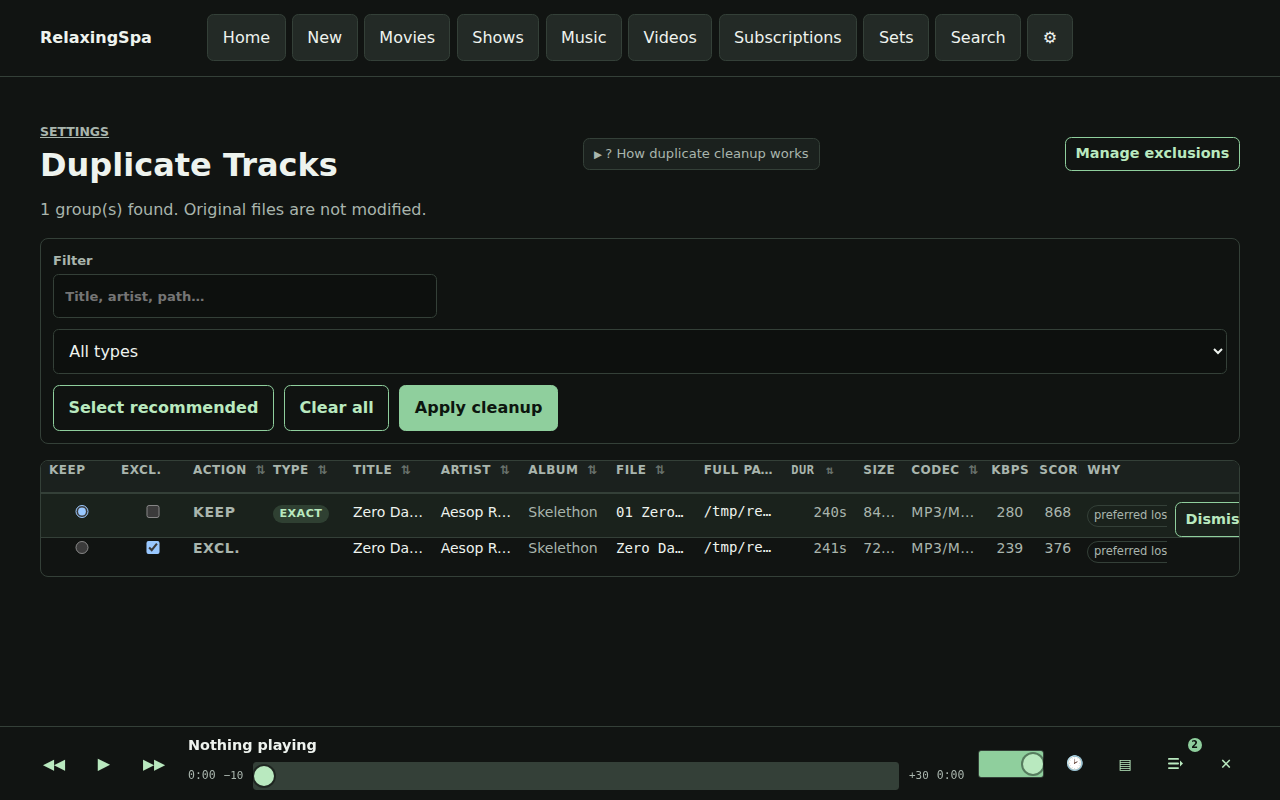
Duplicate review loads asynchronously into a flat sortable grid with recommendations, filters, dismissal, and safe exclusion cleanup.
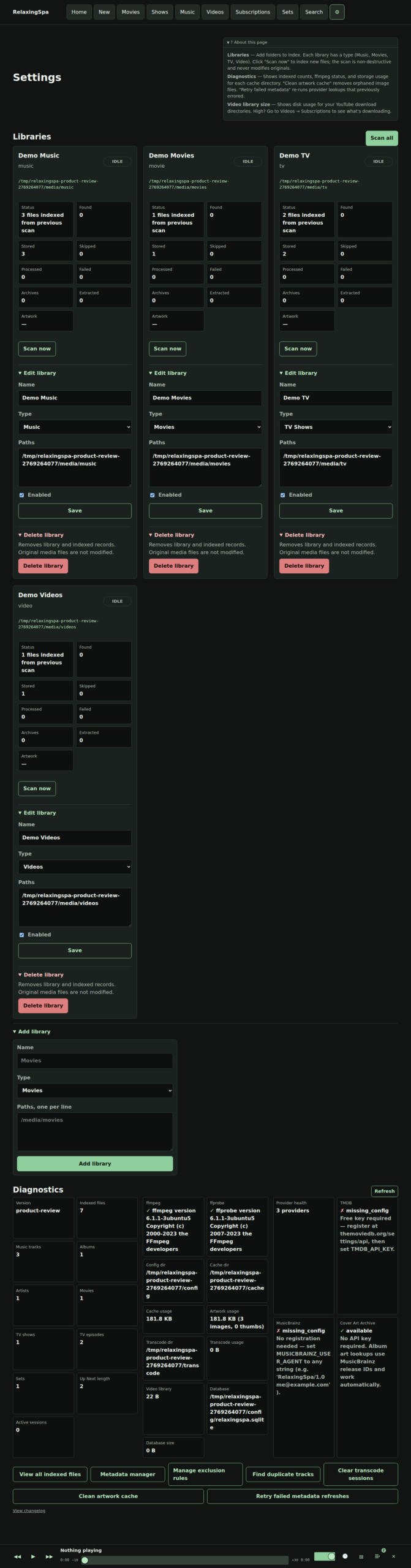
Settings centralizes library management, provider diagnostics, ffmpeg/ffprobe status, storage usage, and recovery links.
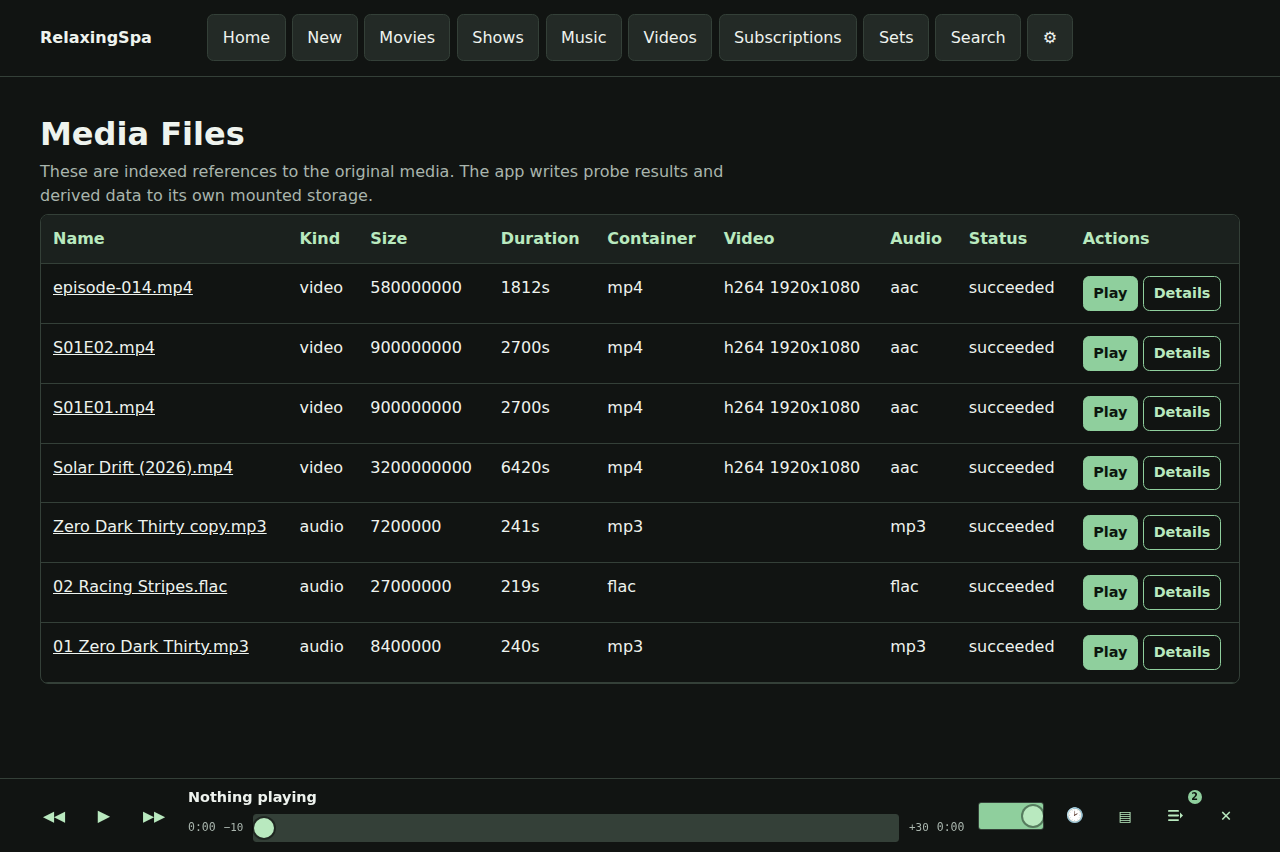
The media-files diagnostic page exposes the full indexed media table for scan, path, probe, format, and availability review.
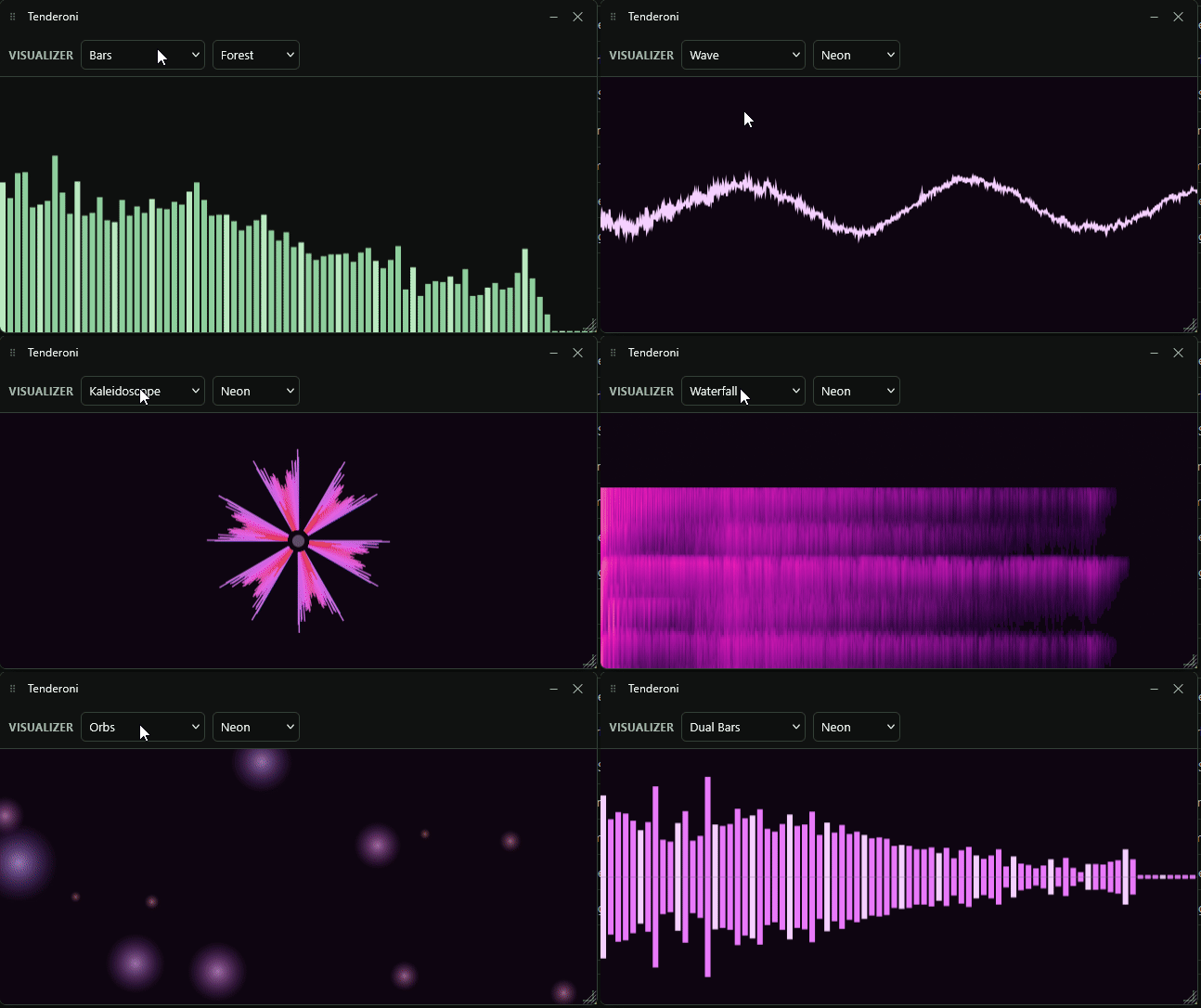
The audio visualizer renders inside the floating visual player with selectable modes (bars, wave, radial, pulse, kaleidoscope, lissajous, starfield, waterfall, flower, orbs, shine, dual bars) and color schemes.
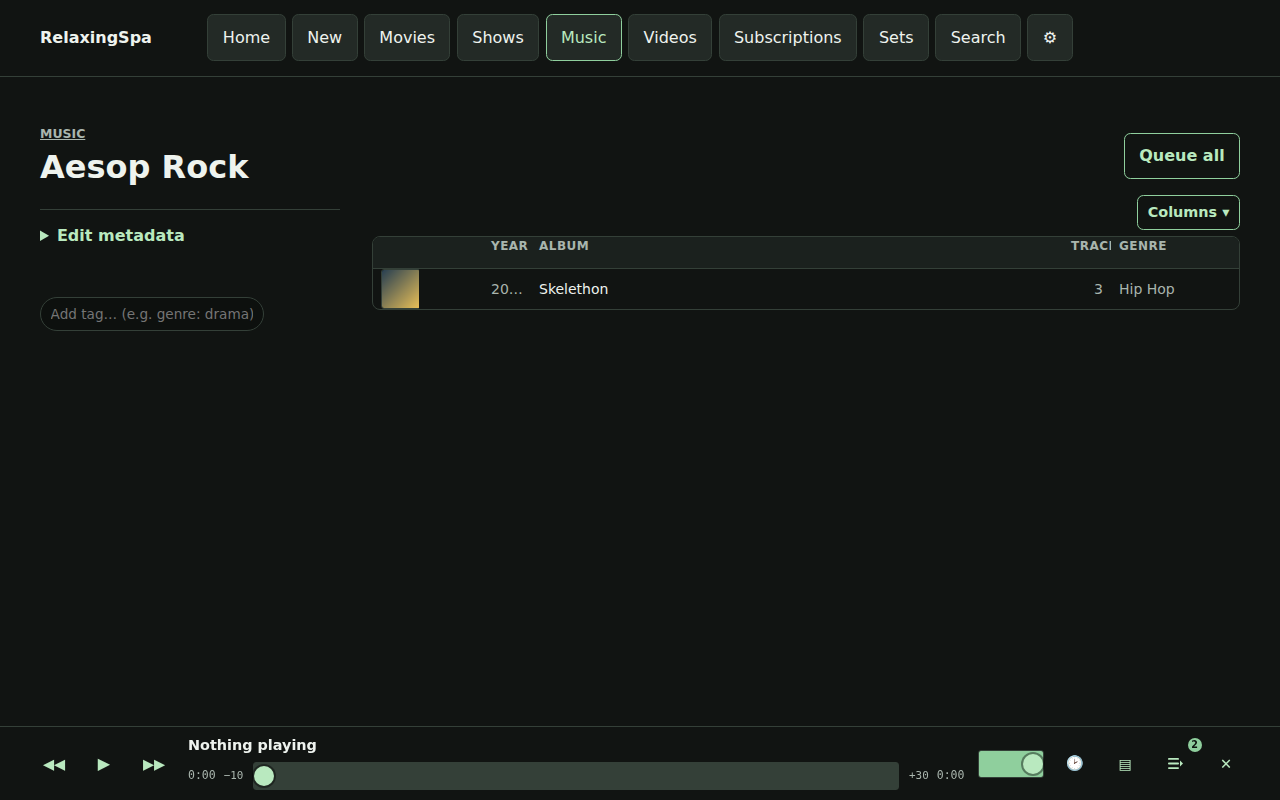
Artist detail aggregates albums, track counts, tags, and metadata provider state for a single artist.
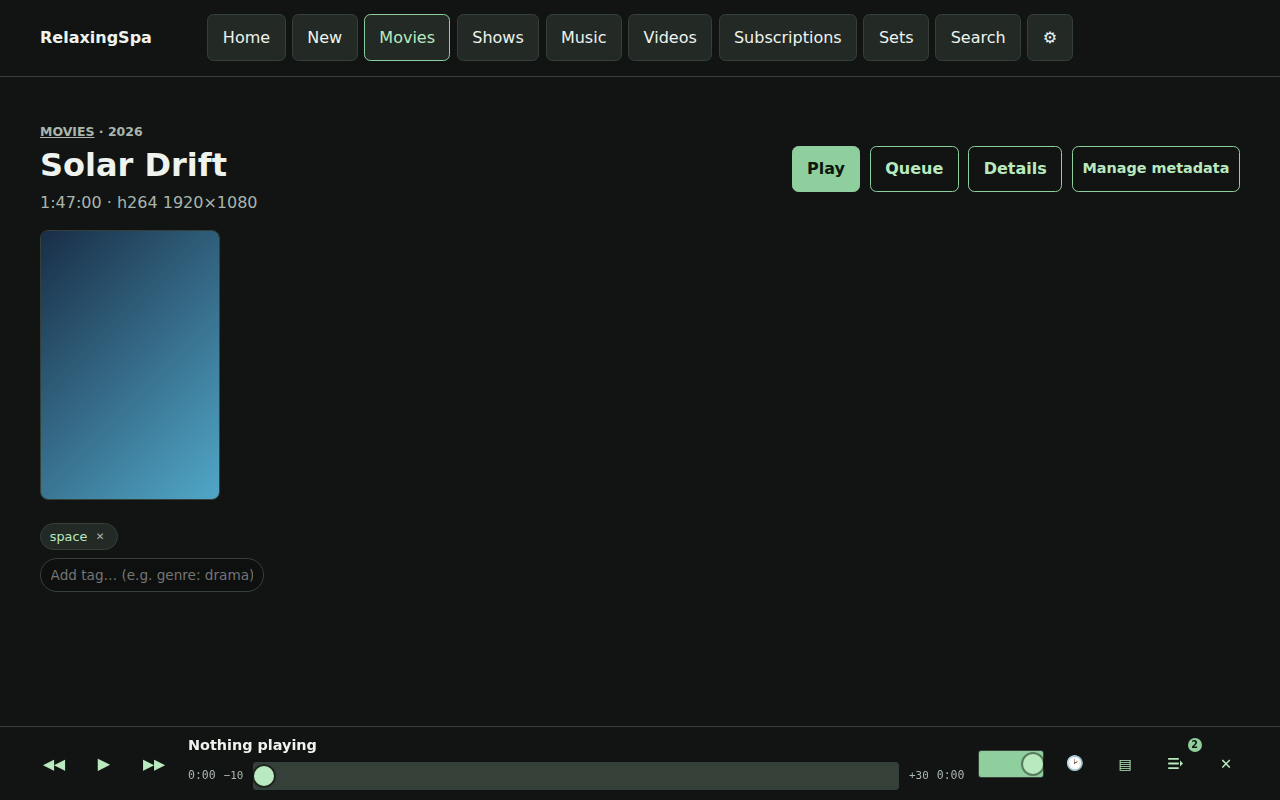
Movie detail combines poster artwork, summary, tags, playback progress, queue actions, and metadata recovery controls.
The shows browser lists series with artwork, season counts, tags, and entry points to season and episode flows.
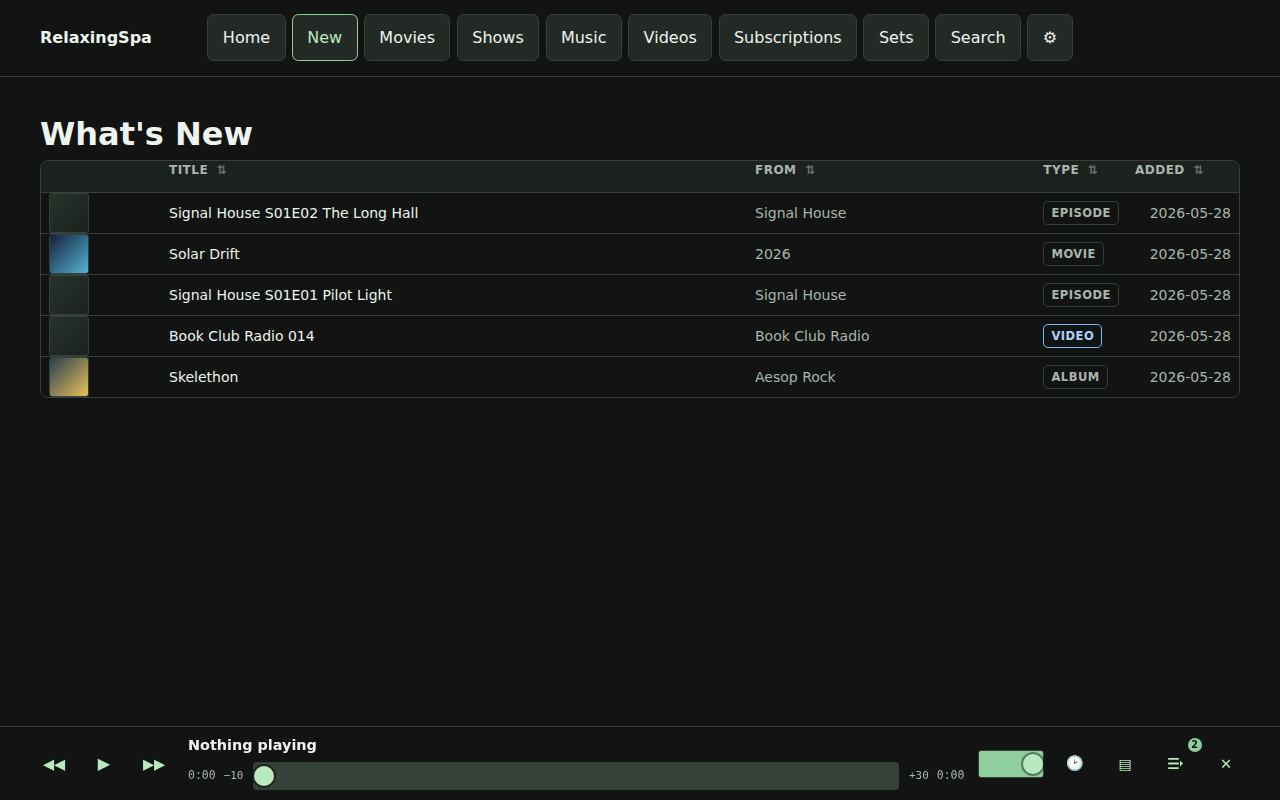
What’s New surfaces recently added media across all library types in a unified discovery feed.
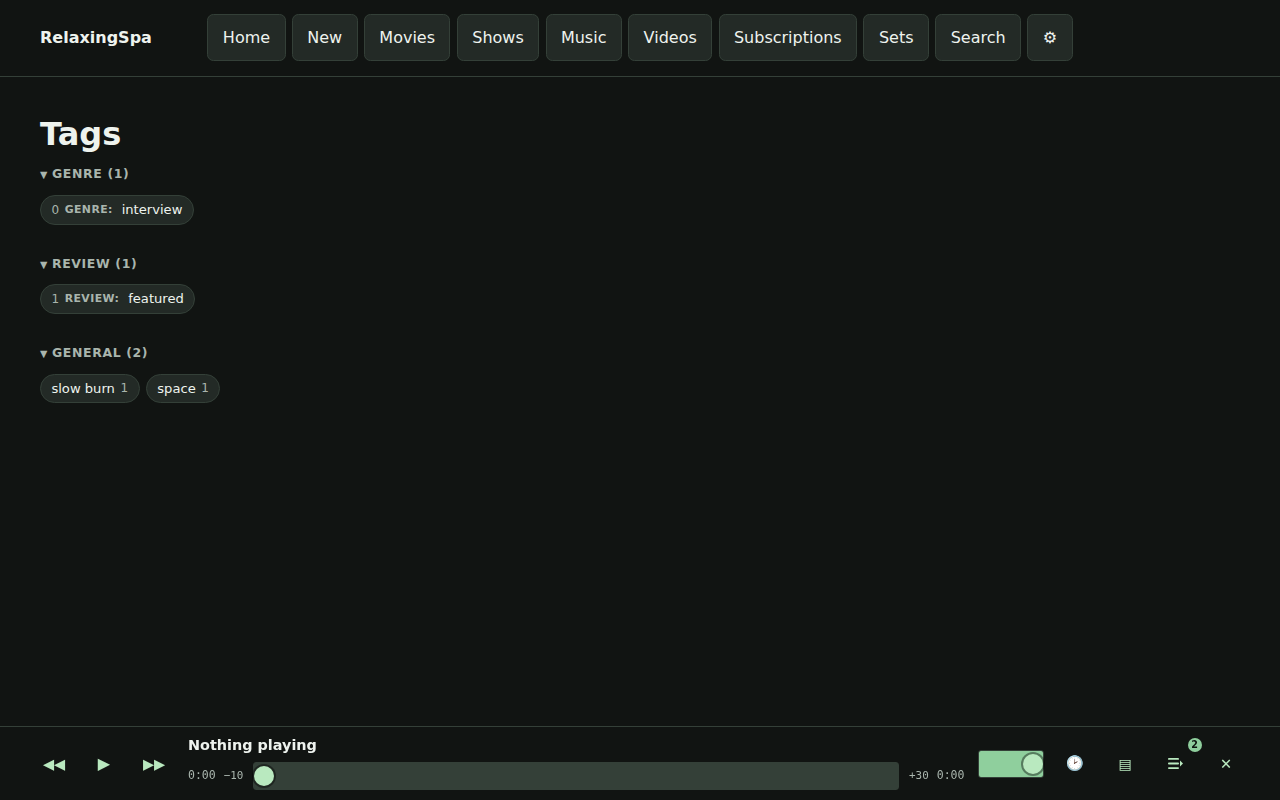
The tags index lists all applied tags across media types, with counts and drill-down into each tag’s contents.

There’s also some easter eggs, for instance – here’s a gif of the visualizers available.

visualizers

When I started this project I was playing with python, but the speed and the delivery mechanism wasn’t the play. I quickly switched to Go because of its extremely simple deployment story, while the language is one I am pretty unfamiliar with, I really like the results! Maybe I should build in Go more.

For now, I am not releasing this code online – the tool serves me, but if you want a copy hit me up via email at my first name at this domain and let’s chat!

Releasing MGR Patcher – a simple and open source tool to patch Metal Gear Rising: Revengeance to allow any aspect ratio/resolution (at least on my machine)

I had a itch to play a game that I last enjoyed in 2015, but it turns out they did not future proof the output resolution and 1080p was the highest thing supported natively.

I looked online and there’s a binary circulating that purports to solve this problem.

Of course the classic “wait is this a virus?” compounded with the reports that alternate aspect ratios are also not supported had me ask “What a re-implementation would look like with a little RE magic?”

In between two Deadlock matches MGR Patcher came together, with Codex doing all the work.

It does a few things (in Rust of course):

  • Finds or lets you browse to METAL GEAR RISING REVENGEANCE.exe.
  • Creates a .backup copy before the first patch.
  • Replaces the game’s built-in 800x600 option with your selected resolution.
  • Verifies the patched bytes after writing.
  • Can restore the executable from the .backup file.
  • Can launch the game after patching.
  • After you approve the first Windows warning, removes its own Windows download marker so later launches are less likely to warn again.

The Github CI pipelines should build a windows release available, since I know you are all chomping at the bit to get back playing Revengeance.

“I don’t really get the point of a right join if you can just do the same thing with a left join”

I was talking to a friend of mine and they are learning some SQL and they said something that I have seen come up multiple times in learning SQL.

They said “Yeah, I need to study the join types more. They make sense to me but I want to be able to not reference my notes” and also “I don’t really get the point of a right join if your can do the same thing with a left join by just switching the table name.”

These are great points, and common questions that occur when first learning SQL.

Before I talk about LEFT/RIGHT JOINs, I wanted to mention that in my experience, idiomatic SQL does not contain RIGHT and OUTER joins, ignore them.

That might be contentious among folks, but unless you have a large amount of code written in a specific way where a RIGHT or OUTER join is the only thing that makes sense, fine, you’ve found the way, but generally you probably just want a subquery or CTE to encapsulate your logic and maintain “one way” of thinking about the problem.

The second piece of the puzzle that helped me a lot was understanding that all JOINS are just specialized versions if CROSS JOINs that help communicate your intent.

If we start with the following example, we’re making sure that every row in left and every row in right will touch. A classic CROSS JOIN.

SELECT *
FROM left AS l
CROSS JOIN right AS r

Now, a Cartesian product is rarely useful (unless you are making a numbers table!) but its the basis for the next step, a predicate (or WHERE clause) which allows us to restrict to only useful rows on the left hand side of the query.

SELECT *
FROM left AS l
CROSS JOIN right AS r
WHERE
l.id = r.left_id AND
r.left_id IS NOT NULL

Some knowledgeable folks in the audience might be confused why I would filter on r.left_id IS NOT NULL (given the original condition) but some SQL dialects match on NULLs!

This CROSS JOIN is equivalent to a LEFT JOIN that looks like

SELECT *
FROM left AS l
LEFT JOIN right AS r ON
l.id = r.left_id

The same applies to a RIGHT JOIN – just swap the main characters.

The INNER JOIN is even easier, it just makes sure there’s no unmatching values on both sides of the equation.

Now, this isn’t hugely different, but being able to call out LEFT LEFT LEFT LEFT INNER LEFT when you are reading through a long procedure is a critical part of reading SQL, swapping between RIGHT LEFT INNER all the time will absolutely make a difference in the mental model of your reviewer, and expect them to call you out if you use a RIGHT JOIN for anything but fun.

I hope you learned something from one of my early SQL insights, hopefully it can help you understand why there are multiple join types.


Choose A Simple System Over Most Other Things

Over the last decade, I’ve spent my time fixing performance issues, untangling conceptual models, cleaning up pipelines, and generally taking things apart so I can put them back together to go fast. Through all of it, one truism remains: systems that are simple to reason about are easier to maintain, debug, and scale.

I’ve been told this is obvious. Yet, every company I walk into has a mess of code—a tangled, aging rat’s nest where yesterday’s quick fix has hardened into today’s critical infrastructure. Grain by grain, small oversights compound into load-bearing pearls of complexity that nobody dares touch.

Often, the original developers are still around. They understand the improvements that could be made but lack the time, authority, or appetite to rewrite the system that’s keeping the lights on. And when I dig deeper, it’s rarely a personal failure—it’s a systemic one. The complexity is tolerated, even defended, because addressing it is seen as an unjustifiable cost.

So what can you do? The only real solution is prevention.

Guardrails Against Complexity:

  • Treat any one-off complexity as a blinking red warning light.
  • Before solving a problem with an overly complex solution, ask: Can we avoid solving this entirely?

Technical debt isn’t just about writing bad code—it’s about making bad bets. And the easiest way to win is to stop playing losing hands before they’re dealt.

Reading about Python’s Poetry

Poetry bills itself as “Python packaging and dependency management made easy” – I will dive in a bit more…

Installing and configuring

  • Poetry requires Python 3.8+ (that’s a lot of missing Python)
  • Has the classic “fun” insecure installer approach by default curl -sSL https://install.python-poetry.org | python3 – not my favorite, but it looks like Poetry has its own bootstrapping problem right now.
  • Uses the pyproject.toml format for configuration, with the tool.poetry, tool.poetry.dependencies, and build-system are the most important starting fields.
    • Poetry has a pretty well-thought-out use of the pyproject format.

Commands and Usage

  • Initializing an existing project is as easy as poetry init it will ask you questions about your package and get your boostrapped.
  • You can add packages with poetry add and poetry remove, first blush it feels like I am using cargo.
    • Upon upgrade/change Poetry removes old packages.There are a few GitHub issues about it, so if you are Windows and you want a faultless experience you might want to skip Poetry for now.
    • This will also resolve the package versions to ensure compatibility – a clear positive knowing your packages work out of the box together, but I have burned by Conda before, so a package solver always gets some side-eye.
  • poetry install grabs the packages and installs them in your environment.
  • poetry update Gets the latest versions of the dependencies and write them to your lock file.
  • poetry run runs the command within the current virtualenv.
    • This combines with the tool.poetry.scripts section of the pyproject file – you can define a file to run and then poetry run special-command to run your special-command.
  • poetry shell spawns a shell in the virtual environment (really useful for testing random stuff).
  • There’s a few more commands around lock files and more esoteric needs for the build system, so I will stop there for now.

Other interesting differences from a simplified pip env

  • Poetry is much more active in managing environments than a simple pip+venv setup, and actively takes steps to activate/validate the version of Python and your current environment when running code.
  • There’s a bit more on the type of build tools you can emit, versioning, and dependency groups which you generally wouldn’t have in the simpler tooling modes.

Final Thoughts

Overall my first blush with Poetry is that it’s a very cool tool (if you are not on Windows) and that it definitely seems that once it’s set up. It seems like you’d have more luck getting new packages added to existing projects without the “fun” of Python packaging issues arising suddenly in the wild (or hopefully your full featured test suite)/

Because of the file deletion issue (and me on Windows most of the time) I am still going to be sticking to pip+venv. Any add/remove command has about a 50% chance of going south for the boxes I am using.

A Simple 5x Speed Up With My Django Testing

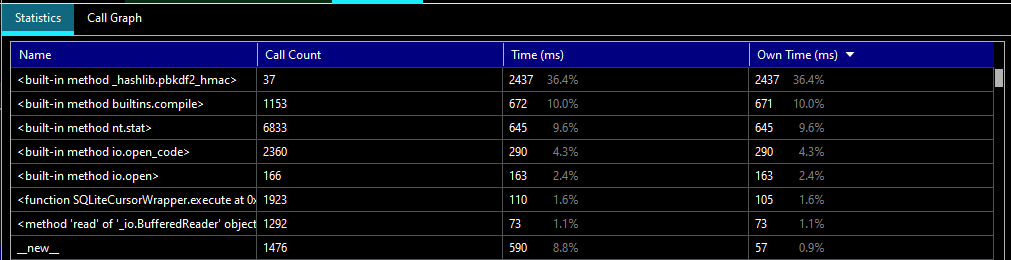
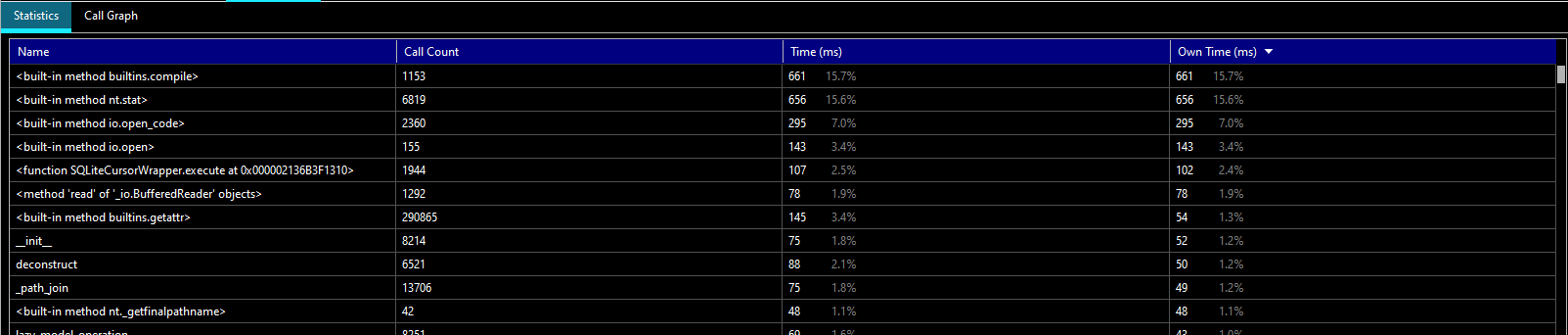
the statistics in pycharm showing that the built-in method of _hashlib.pbkdf2_hmac is taking 36.4% of the time
PyCharm Profile Stats

More than a third of the time was taken with a hashlib function. My current testing regime doesn’t take long (about 3 seconds on my slow machine) but any iteration time is precious when you are working on your side project.

Before I wax poetic, here’s the changes you’d make to your project’s settings.py

 
# This is only needed if you don't already have a PASSWORD_HASHERS list in your settings 

PASSWORD_HASHERS = [
    'django.contrib.auth.hashers.PBKDF2PasswordHasher',
    'django.contrib.auth.hashers.PBKDF2SHA1PasswordHasher',
    'django.contrib.auth.hashers.Argon2PasswordHasher',
    'django.contrib.auth.hashers.BCryptSHA256PasswordHasher',
]

# DO NOT USE INSECURE HASHING OUTSIDE OF DEBUG MODE OR YOU WILL GET HACKED
# All of your data will be stolen and all of your good works undone 
# Avoid having your company added to this list https://haveibeenpwned.com/
if DEBUG:
    PASSWORD_HASHERS.insert(0, 'django.contrib.auth.hashers.MD5PasswordHasher')

So what’s happening here?

Context

If you’re fairly new to Django you might not know the settings.py file controls the general configuration of your application, and defines arbitrary values available from the settings module (a really useful feature!)

The DEBUG value is set for test environments (earlier in the file) based on environment variables that I control, if you want to learn more check out the DEBUG documentation.

Most values that could exist in your settings file have sane defaults, but it can be a bit confusing that not everything is there at once. If you dont have a PASSWORD_HASHERS list in your settings Django will pick whatever the “right” option is.

In this case we’re defining the standard items and then inserting a new default hash option in the list (during DEBUG mode only.)

This sets PASSWORD_HASHERS to reference a very fast and very weak (full list here).

Using the PyCharm test UI I found my slow machine testing went from 2987ms to 526ms, and improvement of  >5x!

The observer effect is in play for the statistics but we still show the entire hashing process gone from the stats:

PyCharm profiler statistics showing no hashing algorithm in the top items and a much faster result
PyCharm Profile Stats … Much Better

It’s worth repeating – don’t run insecure hashing such as md5 algorithms in production ever. It’s the difference between your password being cracked in seconds and making it impractical for decades or centuries.

It may seem weird, but being purposefully slow is an important feature of cryptographic hashes that you should not attempt to defeat.

If you want to learn more about how cryptographic hash functions work check out Practical Cryptography For Developers.


Reversing posexplode in SparkSQL

I had a table with many instances of a primary key and an array. I needed to return one row with an averaged array in SparkSQL.

To average an array we just average each value independently, but managing nested types in SQL is notoriously a PITA. I searched around and didn’t find any good answers on StackOverflow or the net that I liked, so I thought I would take a crack at a “pure” SQL approach.

First idea – what if I could explode the values and then reassemble them, grouping by the ordinal and averaging the values?

Cool idea! The problem is that Spark has no ordered array rollup function (at least that I understood reading the docs and SO)… so what can I do to deal with that? Am I stuck?

I reviewed the SparkSQL function documentation and realized I didn’t have any magic bullets, so I reached back into my SQL hat and asked myself “How I would force ordering without an ORDER BY?”

  • What about a subquery for each element in the array? A correlated subquery would “work”… in the most disgusting way possible.
  • Well, we could emit a big ol’ case statement I guess…
  • Or wait, isn’t that just what I always tell people to use instead of … PIVOT?

Ok, let’s try this:

#1
card = spark.sql("select size(array_col) as size from array_table").first()["size"]

print(f"We see the arrays have {card} dimensions.")

#2
cols_as_values = ', '.join(str(x) for x in range(card))
cols_as_cols = ', '.join('`' + str(x) + '`' for x in range(card))

query = f"""
select 
  avg_arr.primary_key, 
  array({cols_as_cols}) /* #6 */
from
( 
select 
  t0.primary_key, 
  ord, 
  avg(val) as avg_val 
from array_table as t0 
lateral view posexplode(array_col) as ord, val /* #3 */ 
group by 
  t0.primary_key, 
  ord /* #4 */
) as avg_arr
pivot
(
  first_value(avg_val) /* #5 */
  as avg_dim_val for ord in ({cols_as_values})
)
order by primary_key
"""

For those with Databricks or Databricks Community Edition (free as of this writing) you can also review and fork the notebook here.

Yeah this is ugly, but its significantly faster than the similar code running the same steps with a numpy udf, I need to do more testing to make this claim a bit more solid.

Learning SQL, 2nd Edition – Creating tables as described in the book

The Premise

Had a conversation discussing a book that I actually studied myself… 10 years ago – a truly venerable publication. It came up that the table creation descriptions at the beginning of the book which I remember using … actually don’t exist.

I’m going to walk you through understanding the descriptions as provided, and a little guide to do the same with random data you find.


The Data

In the book we see the following two sets:

In the dept table, we have a DEPTNO, DNAME, and LOC (department number, department name, and location respectively, database people love shortening things)
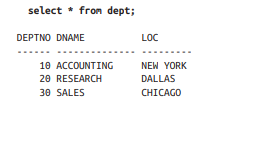
In the emp table we have EMPNO, ENAME, JOB, MGR, HIREDATE, SAL, COMM, DEPTNO
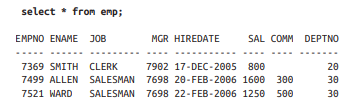
Now – depending on if you’re learning SQL Server, SQLite, postgres, MySQL, Snowflake, etc – there’s going to be a slightly different syntax for creating tables, selecting data, and rest – so keep your official documentation open and learn to love it.

For my example I’ll be using SQL Server so here’s the documentation on CREATE TABLE for SQL Server.


Our Process

First, we’ll declare and name our tables, then we’ll add the columns we need, and finally we’ll pick the types we want to use.

This is all boilerplate except for the emp and dept portions respectively – we’re saying create a table called emp and another called dept in the dbo schema with the following columns in parenthesis.

CREATE TABLE dbo.emp();
CREATE TABLE dbo.dept();

Pull out the columns from the dataset and put them in their respective table.

CREATE TABLE dbo.emp(EMPNO, ENAME, JOB, MGR, HIREDATE, SAL, COMM, DEPTNO);
CREATE TABLE dbo.dept(DEPTNO, DNAME, LOC);

Finally, we want to define a data type to act as an appropriate box to place the data.

A well chosen data type maps well to the current and potential values in the column, and the more strict you can be about choosing smaller types or constrained values the more likely you’ll avoid nonsense data. In some cases it can also greatly improve performance.

Now, we’ll start with a very pragmatic approach (for time purposes) and I will leave you with a challenge at the end of the post!

Crack open the SQL Server Data Types as your reference, learning to read the official docs is invaluable.

The main categories are:

  1. Exact numerics – Exact numbers, use these.
  2. Unicode character strings – Modern text, use these.
  3. Approximate numerics – Generally avoid unless you need floating point math.
  4. Binary strings – You’ll know when you need them.
  5. Date and time – Useful for common date and time operations and comparisons.
  6. Other data types – Some useful, some weird, you’ll probably use uniqueidentifier and xml soon enough.
  7. Character strings – Less common these days but if you have specific types of data it can save you space.
Based on our screenshot above I see numbers with no decimal points or special notation that are “smaller” (Exact Numerics > INT) , I see a date that has no time component (Date and time > DATE), and some words that might be user input (Unicode character strings > NVARCHAR).

What does that leave us?

CREATE TABLE dbo.emp(EMPNO INT, ENAME NVARCHAR(50), JOB NVARCHAR(50), MGR INT, HIREDATE DATE, SAL INT, COMM INT, DEPTNO INT);
CREATE TABLE dbo.dept(DEPTNO INT, DNAME NVARCHAR(50), LOC NVARCHAR(50));


Importing Data

Before we make this any more complicated, let’s go over simple ways to import data.

There’s MANY data connectors and other methods you can use to INSERT data into a table, but if you’re just starting most of them feel pretty hard to me to bootstrap.

If you’re familiar with these methods then ignore this and move on, but if you don’t have experience using these tools and if you’re dealing with less than a few hundred rows of data here’s a simple way to accomplish your goal that almost anyone can do.


Disclaimer: Don’t this forever folks, there’s many faster and simpler ways once you have more programming chops, but we used to use this all the time in the support world.

This will also break on weird inputs with single quotes (you can replace them) and tabs (when you paste between environments they might think there’s extra columns.)

Crack open Google Sheets or Excel(if you have it) and copy/paste your data from the book/data source into it.

If you look closely you can see that all of our data ended up in Column A – this is bad!
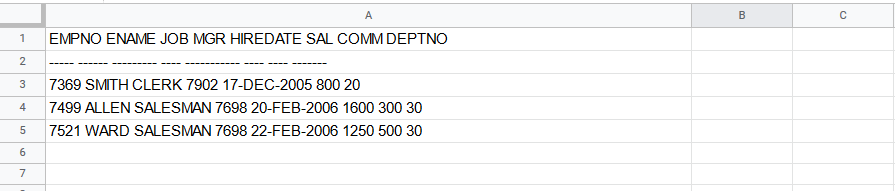
Either use the clipboard icon in the lower right or the data tab to split text to columns. You can find a similar option in Excel.
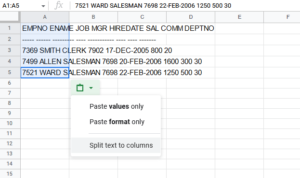
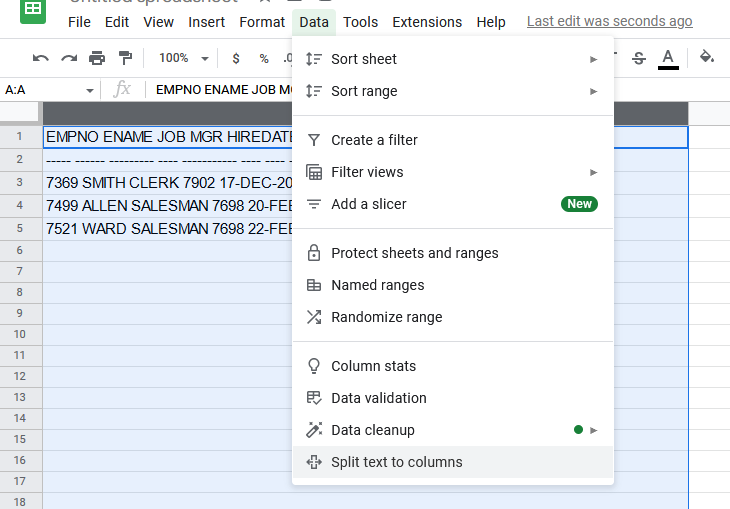
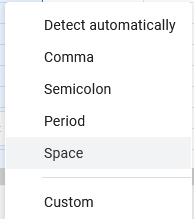
In Excel we’d choose a tab as the separator, but Sheets makes it simpler when choosing what breaks things apart – for this data make sure to choose space.

After the separation, we can see that each piece of data ends up in own column, awesome!


Next, we need to make space between each column for some additional SQL syntax, so right click on each column and insert 1 column left.
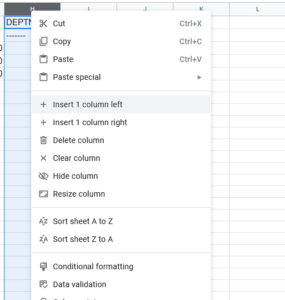
When we’re done, go ahead and remove the top two rows:

This should leave us with just the data.

Next we want to add some code: in the first column and first row you type SELECT ‘

The next (and each) row you copy paste UNION ALL SELECT ‘

In every other new column you add a quote and a comma, but in both Excel and Sheets if you want to start a cell with a single quote you need to write a double single quote – ”,’ and ” respectively, your cells should look like:

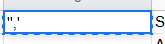
When you finish your sheet should look like this repeating down as far as you have data.

Now here’s the interesting part – if you select all the data and copy/paste it into SSMS you’ll have a valid SQL statement (with one small flaw!)

So what’s the problem? Well the spreadsheets of the world tend to export tab separated data. So we want to remove the tabs.

How do we do that?

In SQL Sever Management Studio there’s a Find and Replace option with a special little feature – regular expressions.
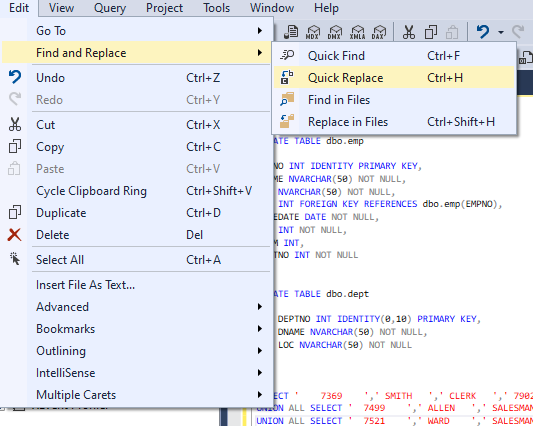
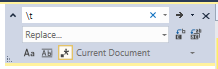
We’re not going to do anything fancy, just click the star (to enable regular expressions) type \t into the find field, and nothing into the replace field. Click the far right Replace All button and watch the text tighten up.


Add your INSERT statement with your table and list of columns to the top of your data and you’re ready to rock!

INSERT dbo.emp(EMPNO, ENAME, JOB, MGR, HIREDATE, SAL, COMM, DEPTNO)
SELECT '7369','SMITH','CLERK','7902','17-Dec-2005','800','20',''
UNION ALL SELECT '7499','ALLEN','SALESMAN','7698','20-Feb-2006','1600','300','30'
UNION ALL SELECT '7521','WARD','SALESMAN','7698','22-Feb-2006','1250','500','30'

I leave it to you to do the same on the dept table, its a lot less columns!


Final thoughts

We could add much more to this table declaration – we probably don’t want to create an employee with no name, or an employee with no department, or delete an entire department accidentally!

The create table syntax is flexible to handle these cases and more – declaring indexes or relationships can make a table much more powerful to model your problem and prevent misuse.

CREATE TABLE dbo.emp
(
  EMPNO INT IDENTITY PRIMARY KEY, 
  ENAME NVARCHAR(50) NOT NULL, 
  JOB NVARCHAR(50) NOT NULL, 
  MGR INT,
  HIREDATE DATE NOT NULL, 
  SAL INT NOT NULL, 
  COMM INT, 
  DEPTNO INT NOT NULL REFERENCES dbo.dept(DEPTNO)
);

CREATE TABLE dbo.dept
(
  DEPTNO INT IDENTITY(0,10) PRIMARY KEY, 
  DNAME NVARCHAR(50) NOT NULL, 
  LOC NVARCHAR(50) NOT NULL
);

There’s still plenty we could do to make this table declaration better! If you’re still reading and learning and want a starter challenge –

Can you figure out the optimal length for our NVARCHAR fields given the data in the book?
Can you write a SQL query that can tell us how long the fields should be?

Fixing – Error: “PKIX path building failed: sun.security.provider.certpath.SunCertPathBuilderException: unable to find valid certification path to requested target

During my attempt to connect PyCharm to a SQL Server data source with Windows Authentication and ran into a slew of errors. Upon searching I noticed there was a dearth of resources on this issue.

Some posts mention messing with your certificate store but with a local sever I dont have the interest in configuring certificate based auth.

From experience I knew a security issue reported in SQL Auth generally is related to the certificates/encryption settings on the connection, often turning it off works fine (don’t do this in production.)

I found nothing useful in the SSL/TLS – clearly the standard “uncheck encryption” trick isn’t managed here.


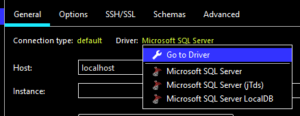
Looking further I found the Driver: section, here the MSSQL driver settings I needed are available.

picking advanced/driver settings


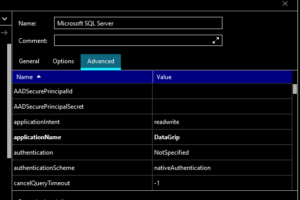
Click the Advanced tab.clicking the advanced tab in the driver settings


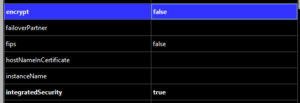
Update integratedSecurity to true and encrypt to false. changing pycharm driver settings


This fixed my authentication issues with the local server.connected window

Predicting When Your SQL Server Will Run Out Of Space via Colab, Plotly, and Pandas

No, not Azure Data Studio or Databricks notebooks (yet) – I wanted to give Google Colab a spin and the big G hosted Jupyter notebook has an expansive free tier with more RAM than my work computer and a graphics card attached to boot!

Going forward with my explorations I wanted to make use of an open-ish dataset, so I used Stack Overflow via Brent Ozar’s blog post on getting the data

Keep in mind its almost 500GB (zip + extract) – and while in an ideal situation we wouldn’t be torrenting a database, extracting, attaching, querying, etc to get at our insights I’ve honestly seen slower iterations at many enterprises so it wasn’t a big deal for me.

If you’ve never used Stack’s database its worth mentioning you an also avoid this all by running queries on their own servers at the Stack Exchange Data Explorer. There’s more tables there too!

If you just want the notebook code click here!

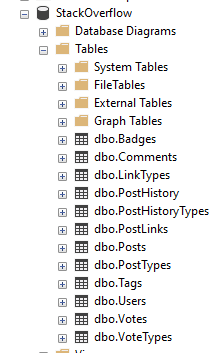
An SSMS object explorer view of the tables in Stackoverflow with only 12 tables
Turns out you can run a global website on 12 tables?

If you haven’t touched Stack’s database before you might be surprised how svelte it is, the backup I am working with only has 12 tables. That’s right, just 12.

The truth is that you don’t need to make things complex to make a useful product, and of course Stack/Brent have removed some ancillary and internal things which is fine by me.

The first question I wanted to model out was a bigger issue with on-premises databases – when are we going to run out of storage?

Back in the day I’d cheat with msdb backups, comparing compressed sized to actuals, and moving on. However I don’t have a historical reference for Stack Overflow… so what can I do?

Taking a look at the tables we see a commonality in many tables – CreationDate! It looks like the rows faithfully are stamped when they are created.

We might not be able to truly look back in time but if trust the database we have a chance to query the contents and get back some interesting data about Stack.

So let’s head over to the notebook if you like, or sit back and read more.

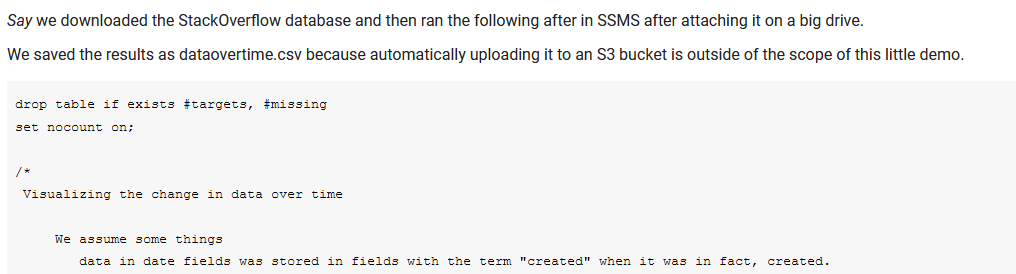
Initial overview of the SQL Script

The first text block contains the dynamic SQL to query the tables with CreationDate and construct additional queries to run – I could have automated this or added a cursor but given I am running it locally in SSMS and copying the CSV by hand today, it wasn’t worth it.

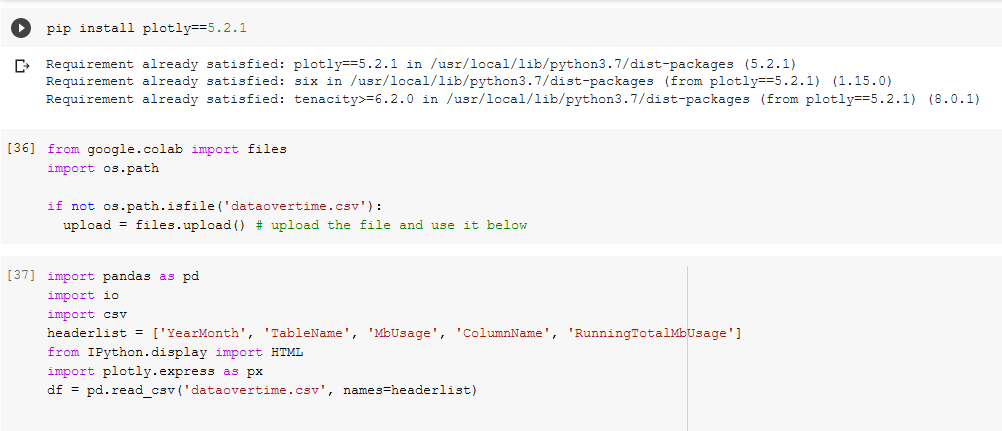
In our first code block ([25]) we install plotly==5.2.1 because of some newer and nicer features, setup the file upload of the csv([36]), and define the headers because SSMS is too lazy to include headers([37]).

Installing pre-reqs and uploading files
Installing pre-reqs and uploading files.

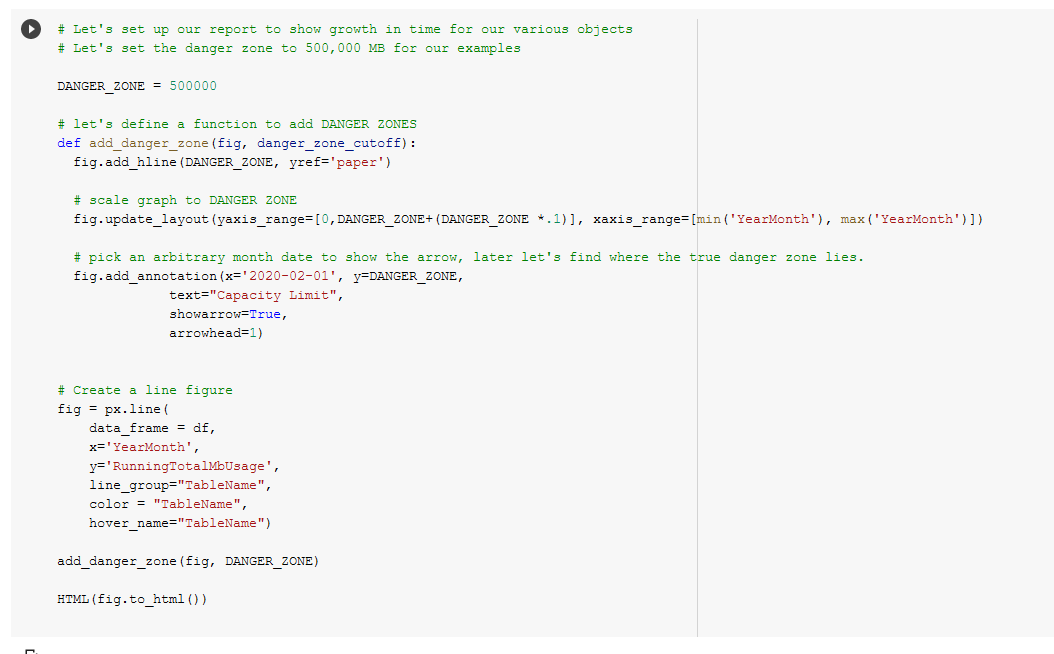
Next in code block ([38]) we define a DANGER_ZONE, the constant that should make us very worried because that’s how much space we have (in megabytes), and add a function to add DANGER_ZONES to figures easily.

Summarizing individual data tables

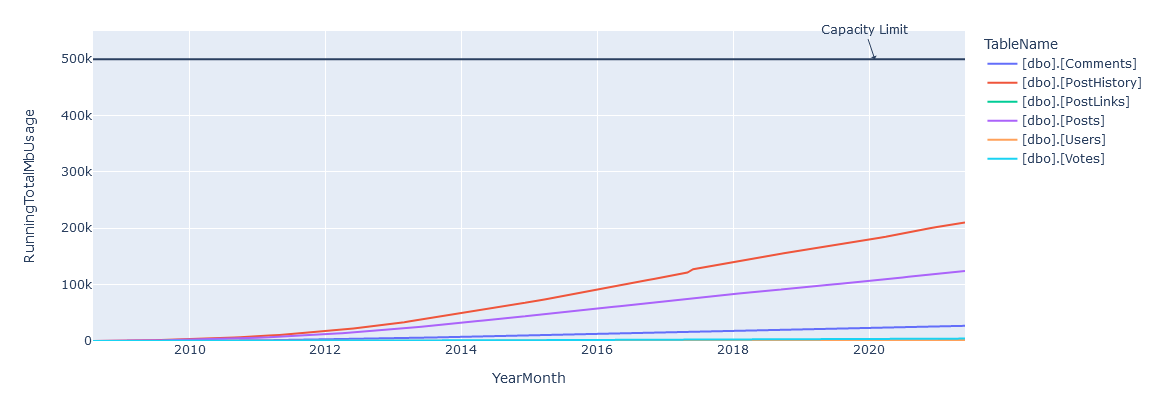
We make a line figure, render it, and we see something!

DANGER ZONE added with tables.

We’re obviously not done yet, we’re going to need add some data to predict when this is going to fail.

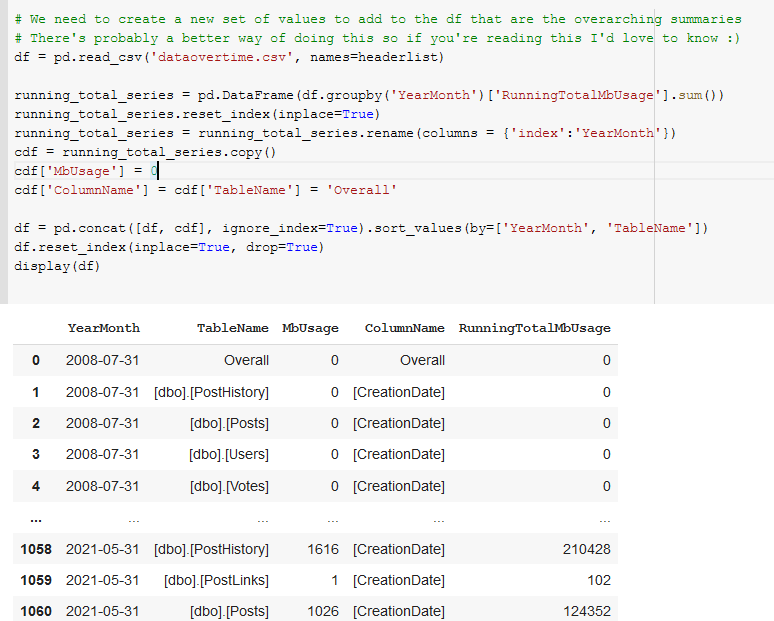
In code block([39]) we sum and group the RunningTotalMBUsage values such that we get an overall value for each month’s total megabytes for all tables.

Add overall summaries of the values to the dataframe.

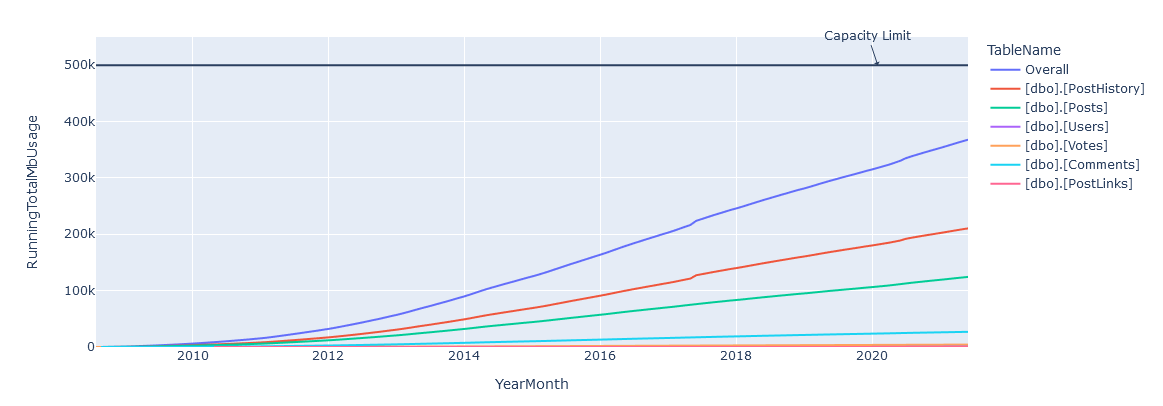
And happily in code block([135]) we see that we have our overall graph looking good, though obviously its a bit closer to our DANGER_ZONE!

Add overall summaries of the values to the dataframe.

Overall line added to the graph

Finally, in code block ([136]) we take all the lessons we’ve learned and project out a set of points to determine what a linear best fit line would look like.

Regression fit again actual measurements.

Conclusions

Given a 500GB limit, we can see that a prediction of April 30th, 2026 is given for Stack’s storage being overwhelmed – and if you look closely you can see that Stack’s growth of data isn’t strictly linear, so it’s probably going to happen sooner than that. In reality I bet they have at least twice as much as that available 🙂

I had a good time using Colab, and the only frustrating moment during the process was when my sign in timed out, it silently switched me to a new login context and couldn’t save, porting that back over got annoying for a bit. Otherwise its great!

Feel free to copy/fork my notebook if you want to make the same predictions for you environment and try it out for yourself, I know I will. And if you were wondering, yes, I was listening to Kenny the entire time.